




531drop - QR file transfer between smart devices and Windows.
531drop_Pro_Setup_v1.0.0.exe
¥500($3.18)
購入後にDL出来ます (21576103バイト)
【ご購入前にご確認ください】
Windows PC用アプリです。
スマートフォン・タブレットではなく、Windows PCでダウンロードしてください。
531dropは、Windows PCとスマートデバイスを同じWi-Fi、またはテザリング / 個人ホットスポットで接続して使うローカルファイル転送アプリです。
インターネット経由で離れた場所のPCへ送信するアプリではありません。
購入後、インストーラーをダウンロードして実行してください。
Windowsのセキュリティ警告が表示される場合があります。
公式ショップからダウンロードしたファイルであることを確認し、「詳細情報」→「実行」を選択してください。
アップデートはアプリ右上の「Check for Updates」から確認できます。
---
スマートデバイスとWindows PCを、QRだけで直接つなぐファイル転送アプリです。
531 dropは、iPhone / iPad / Android / AndroidタブレットなどのスマートデバイスとWindows PCの間で、写真・動画・音声・PDF・各種ファイルを簡単に送受信できるWindows用アプリです。
クラウド不要。ケーブル不要。スマートデバイス側のアプリも不要。
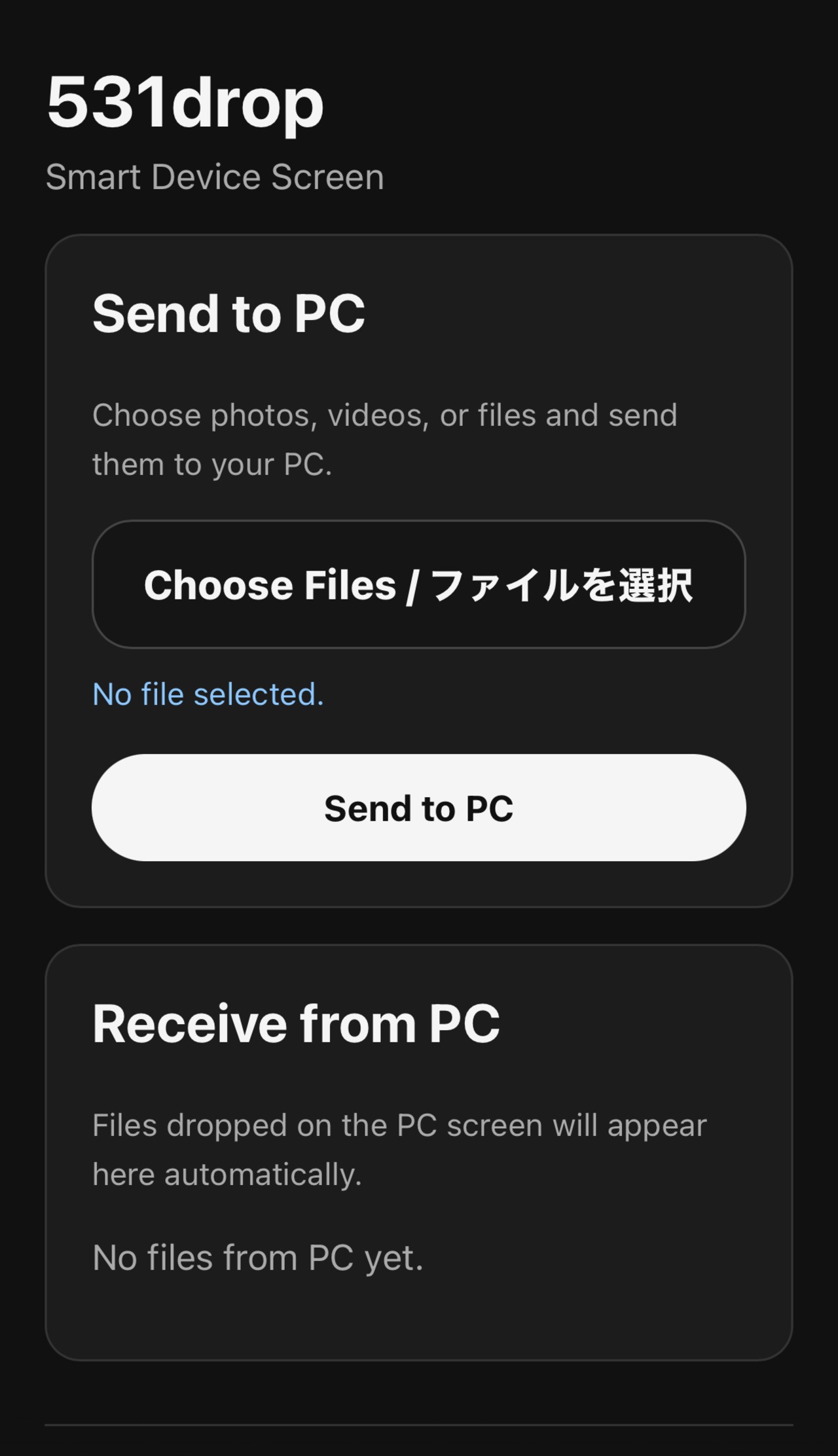
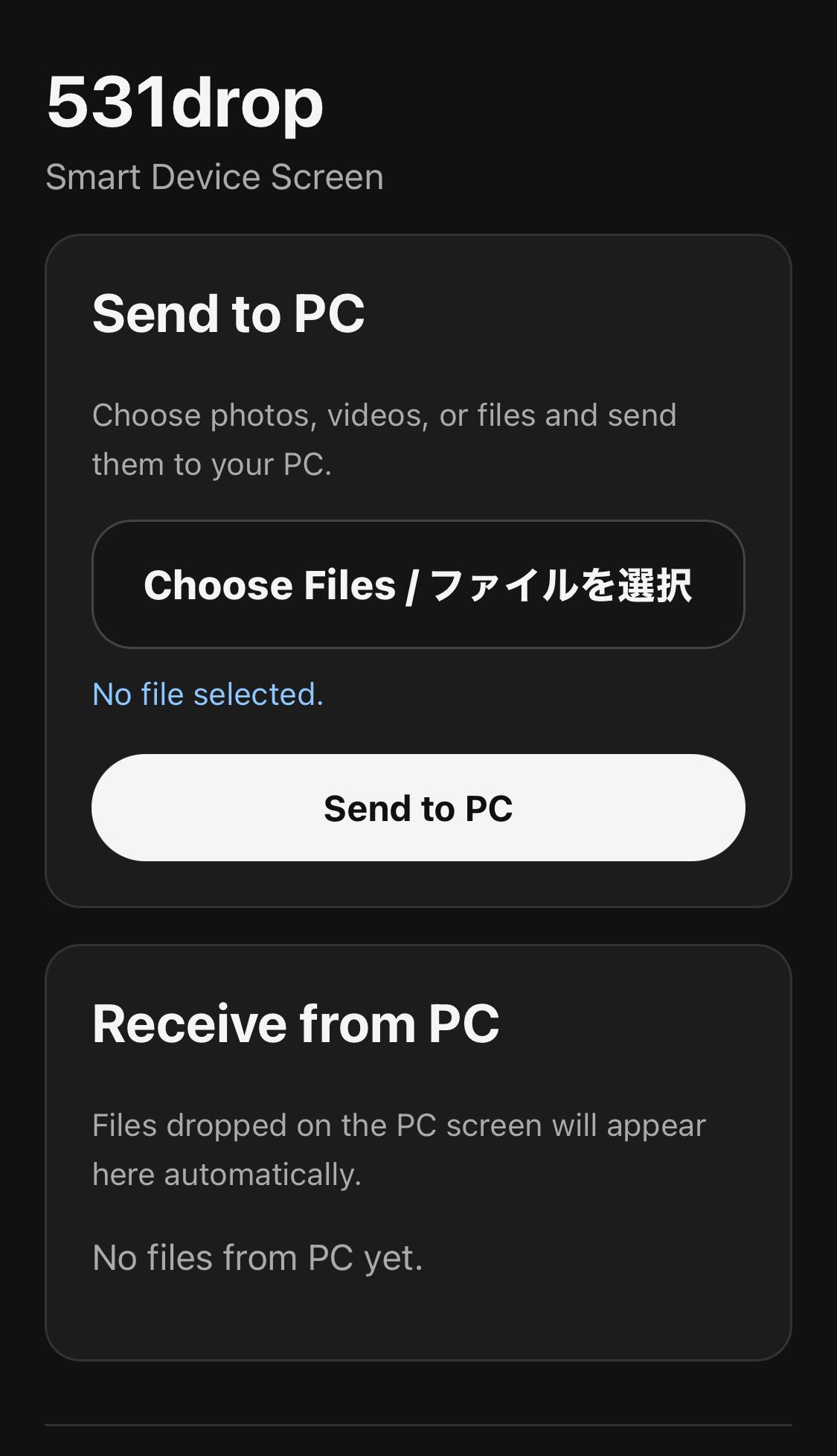
Windowsで531 dropを起動し、表示されたQRコードをスマートデバイスで読み取るだけで、ブラウザからファイルを送受信できます。
【主な機能】
・スマートデバイス → Windows PC へのファイル送信
・Windows PC → スマートデバイス へのファイル送信
・QRコードで簡単接続
・複数ファイル送信対応
・大容量ファイル送信対応
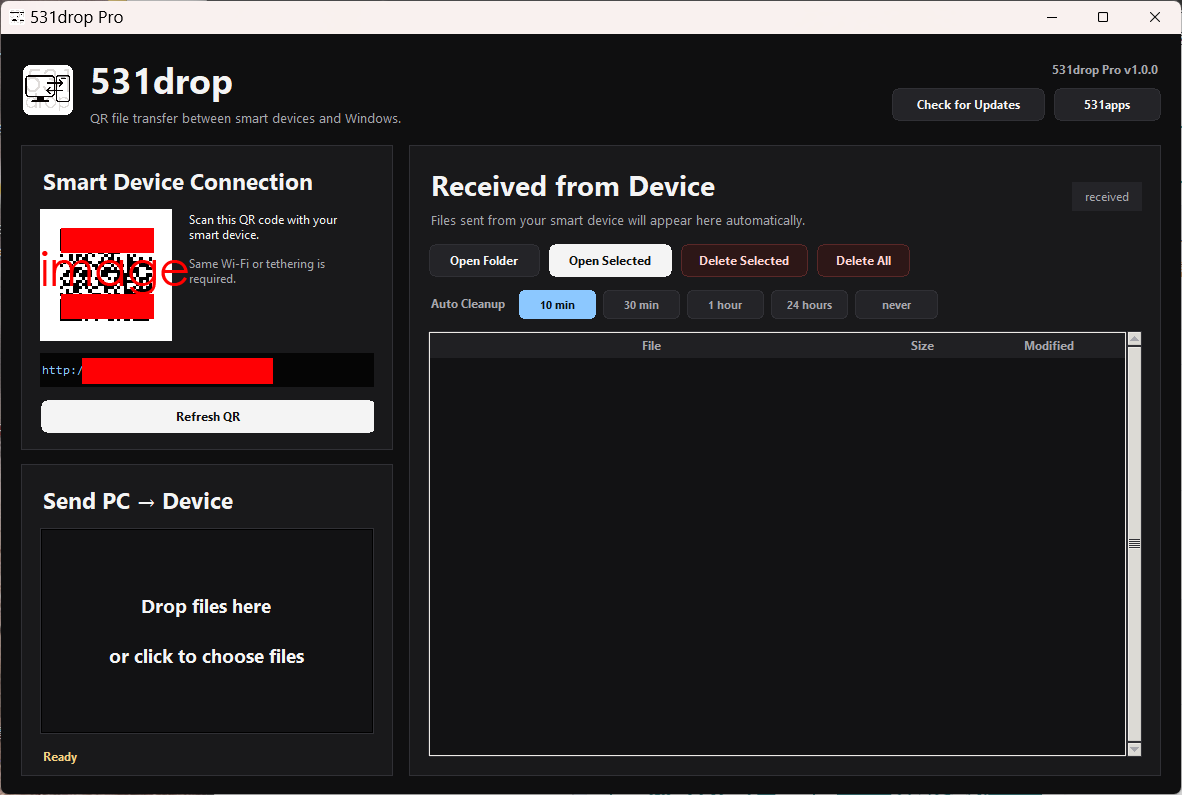
・受信フォルダをワンクリックで開く
・受信ファイルの個別削除 / 一括削除
・一時ファイルの自動削除設定
・スマートデバイス側アプリ不要
・クラウドにファイルをアップロードしないローカル転送
【使い方】
1. Windows PCで531 dropを起動
2. PC画面に表示されたQRコードをスマートデバイスで読み取る
3. スマートデバイスのブラウザからファイルを送受信
【対応環境】
Windows 10 / Windows 11
iPhone / iPad / Android / Androidタブレットなどのブラウザ
【ご注意】
・本商品はWindows用ソフトウェアのダウンロード販売です。物理商品の発送はありません。
・初回起動時にWindowsのセキュリティ確認やファイアウォール許可が表示される場合があります。
・スマートデバイスから接続できない場合は、Windowsファイアウォールで531 dropの通信を許可してください。
・ネットワーク環境、端末、ブラウザの仕様により動作が異なる場合があります。
【価格】
531 drop for Windows
500円(月額利用料・追加料金なし)
【Please read before purchase】
This is a Windows PC application.
Please download and install it on a Windows PC, not on a smartphone or tablet.
531drop is a local file transfer app that connects your Windows PC and smart device within the same network.
It can be used when your Windows PC and smart device are connected to the same Wi-Fi network, or when your Windows PC is connected to the tethering / personal hotspot of the smart device you want to use.
This app is not designed to send files to a remote PC over the internet.
After purchase, please download and run the installer.
Windows may show a security warning when launching the installer or app.
Please make sure the file was downloaded from this official shop before running it.
If Windows SmartScreen appears, you may need to select “More info” and then “Run anyway.”
You can check for updates from the “Check for Updates” button in the top-right area of the app.
Please do not redistribute, resell, upload, or share the installer file.
---
531 drop is a file transfer app that connects your smart device and Windows PC directly by scanning a QR code.
With 531 drop, you can easily send and receive photos, videos, audio files, PDFs, and other files between your Windows PC and smart devices such as iPhone, iPad, Android phones, and Android tablets.
No cloud. No cable. No smart device app required.
Just launch 531 drop on your Windows PC, scan the QR code with your smart device, and transfer files through your browser.
【Main Features】
・Send files from smart device to Windows PC
・Send files from Windows PC to smart device
・Easy QR code connection
・Multiple file transfer support
・Large file transfer support
・Open the received folder with one click
・Delete received files individually or all at once
・Automatic cleanup settings for temporary files
・No smart device app required
・Local transfer without uploading files to the cloud
【How to Use】
1. Launch 531 drop on your Windows PC
2. Scan the QR code displayed on the PC screen with your smart device
3. Send and receive files through your smart device browser
【Supported Environment】
Windows 10 / Windows 11
Browser on iPhone, iPad, Android phone, Android tablet, or other smart devices
【Notes】
・This product is downloadable Windows software. No physical item will be shipped.
・Windows security warnings or firewall permission prompts may appear when launching the app for the first time.
・If your smart device cannot connect, please allow 531 drop through Windows Firewall.
・Actual behavior may vary depending on your network environment, device, and browser specifications.
【Price】
531 drop for Windows
One-time purchase: 500 JPY





¥500 ($3.18)